
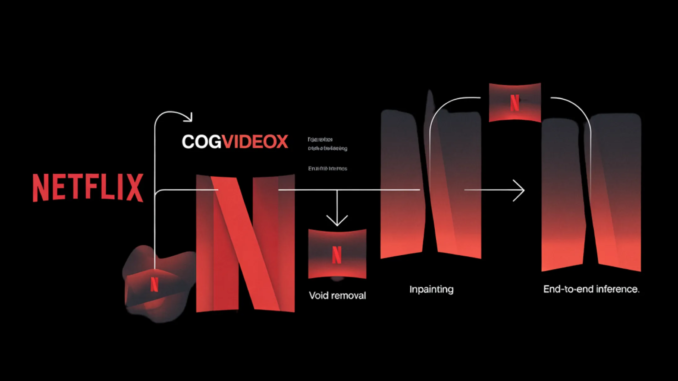
In this tutorial, we build and run an advanced pipeline for Netflix’s VOID model. We set up the environment, install all required dependencies, clone the repository, download the official base model and VOID checkpoint, and prepare the sample inputs needed for video object removal. We also make the workflow more practical by allowing secure terminal-style secret input for tokens and optionally using an OpenAI model to generate a cleaner background prompt. As we move through the tutorial, we load the model components, configure the pipeline, run inference on a built-in sample, and visualize both the generated result and a side-by-side comparison, giving us a full hands-on understanding of how VOID works in practice. Check out the Full Codes
from pathlib import Path
from getpass import getpass
def run(cmd, check=True):
print(f”\n[RUN] {cmd}”)
result = subprocess.run(cmd, shell=True, text=True)
if check and result.returncode != 0:
raise RuntimeError(f”Command failed with exit code {result.returncode}: {cmd}”)
print(“=” * 100)
print(“VOID — ADVANCED GOOGLE COLAB TUTORIAL”)
print(“=” * 100)
try:
import torch
gpu_name = torch.cuda.get_device_name(0) if torch.cuda.is_available() else “CPU”
print(f”PyTorch already available. CUDA: {torch.cuda.is_available()} | Device: {gpu_name}”)
except Exception:
run(f”{sys.executable} -m pip install -q torch torchvision torchaudio”)
import torch
gpu_name = torch.cuda.get_device_name(0) if torch.cuda.is_available() else “CPU”
print(f”CUDA: {torch.cuda.is_available()} | Device: {gpu_name}”)
if not torch.cuda.is_available():
raise RuntimeError(“This tutorial needs a GPU runtime. In Colab, go to Runtime > Change runtime type > GPU.”)
print(“\nThis repo is heavy. The official notebook notes 40GB+ VRAM is recommended.”)
print(“A100 works best. T4/L4 may fail or be extremely slow even with CPU offload.\n”)
HF_TOKEN = getpass(“Enter your Hugging Face token (input hidden, press Enter if already logged in): “).strip()
OPENAI_API_KEY = getpass(“Enter your OpenAI API key for OPTIONAL prompt assistance (press Enter to skip): “).strip()
run(f”{sys.executable} -m pip install -q –upgrade pip”)
run(f”{sys.executable} -m pip install -q huggingface_hub hf_transfer”)
run(“apt-get -qq update && apt-get -qq install -y ffmpeg git”)
run(“rm -rf /content/void-model”)
run(“git clone https://github.com/Netflix/void-model.git /content/void-model”)
os.chdir(“/content/void-model”)
if HF_TOKEN:
os.environ[“HF_TOKEN”] = HF_TOKEN
os.environ[“HUGGINGFACE_HUB_TOKEN”] = HF_TOKEN
os.environ[“HF_HUB_ENABLE_HF_TRANSFER”] = “1”
run(f”{sys.executable} -m pip install -q -r requirements.txt”)
if OPENAI_API_KEY:
run(f”{sys.executable} -m pip install -q openai”)
os.environ[“OPENAI_API_KEY”] = OPENAI_API_KEY
from huggingface_hub import snapshot_download, hf_hub_download
We set up the full Colab environment and prepared the system for running the VOID pipeline. We install the required tools, check whether GPU support is available, securely collect the Hugging Face and optional OpenAI API keys, and clone the official repository into the Colab workspace. We also configure environment variables and install project dependencies so the rest of the workflow can run smoothly without manual setup later.
snapshot_download(
repo_id=”alibaba-pai/CogVideoX-Fun-V1.5-5b-InP”,
local_dir=”./CogVideoX-Fun-V1.5-5b-InP”,
token=HF_TOKEN if HF_TOKEN else None,
local_dir_use_symlinks=False,
resume_download=True,
)
print(“\nDownloading VOID Pass 1 checkpoint…”)
hf_hub_download(
repo_id=”netflix/void-model”,
filename=”void_pass1.safetensors”,
local_dir=”.”,
token=HF_TOKEN if HF_TOKEN else None,
local_dir_use_symlinks=False,
)
sample_options = [“lime”, “moving_ball”, “pillow”]
print(f”\nAvailable built-in samples: {sample_options}”)
sample_name = input(“Choose a sample [lime/moving_ball/pillow] (default: lime): “).strip() or “lime”
if sample_name not in sample_options:
print(“Invalid sample selected. Falling back to ‘lime’.”)
sample_name = “lime”
use_openai_prompt_helper = False
custom_bg_prompt = None
if OPENAI_API_KEY:
ans = input(“\nUse OpenAI to generate an alternative background prompt for the selected sample? [y/N]: “).strip().lower()
use_openai_prompt_helper = ans == “y”
We download the base CogVideoX inpainting model and the VOID Pass 1 checkpoint required for inference. We then present the available built-in sample options and let ourselves choose which sample video we want to process. We also initialize the optional prompt-helper flow to decide whether to generate a refined background prompt with OpenAI.
from openai import OpenAI
client = OpenAI(api_key=OPENAI_API_KEY)
sample_context = {
“lime”: {
“removed_object”: “the glass”,
“scene_hint”: “A lime falls on the table.”
},
“moving_ball”: {
“removed_object”: “the rubber duckie”,
“scene_hint”: “A ball rolls off the table.”
},
“pillow”: {
“removed_object”: “the kettlebell being placed on the pillow”,
“scene_hint”: “Two pillows are on the table.”
},
}
helper_prompt = f”””
You are helping prepare a clean background prompt for a video object removal model.
Rules:
– Describe only what should remain in the scene after removing the target object/action.
– Do not mention removal, deletion, masks, editing, or inpainting.
– Keep it short, concrete, and physically plausible.
– Return only one sentence.
Sample name: {sample_name}
Target being removed: {sample_context[sample_name][‘removed_object’]}
Known scene hint from the repo: {sample_context[sample_name][‘scene_hint’]}
“””
try:
response = client.chat.completions.create(
model=”gpt-4o-mini”,
temperature=0.2,
messages=[
{“role”: “system”, “content”: “You write short, precise scene descriptions for video generation pipelines.”},
{“role”: “user”, “content”: helper_prompt},
],
)
custom_bg_prompt = response.choices[0].message.content.strip()
print(f”\nOpenAI-generated background prompt:\n{custom_bg_prompt}\n”)
except Exception as e:
print(f”OpenAI prompt helper failed: {e}”)
custom_bg_prompt = None
prompt_json_path = Path(f”./sample/{sample_name}/prompt.json”)
if custom_bg_prompt:
backup_path = prompt_json_path.with_suffix(“.json.bak”)
if not backup_path.exists():
shutil.copy(prompt_json_path, backup_path)
with open(prompt_json_path, “w”) as f:
json.dump({“bg”: custom_bg_prompt}, f)
print(f”Updated prompt.json for sample ‘{sample_name}’.”)
We use the optional OpenAI prompt helper to generate a cleaner and more focused background description for the selected sample. We define the scene context, send it to the model, capture the generated prompt, and then update the sample’s prompt.json file when a custom prompt is available. This allows us to make the pipeline a bit more flexible while still keeping the original sample structure intact.
import torch.nn.functional as F
from safetensors.torch import load_file
from diffusers import DDIMScheduler
from IPython.display import Video, display
from videox_fun.models import (
AutoencoderKLCogVideoX,
CogVideoXTransformer3DModel,
T5EncoderModel,
T5Tokenizer,
)
from videox_fun.pipeline import CogVideoXFunInpaintPipeline
from videox_fun.utils.fp8_optimization import convert_weight_dtype_wrapper
from videox_fun.utils.utils import get_video_mask_input, save_videos_grid, save_inout_row
BASE_MODEL_PATH = “./CogVideoX-Fun-V1.5-5b-InP”
TRANSFORMER_CKPT = “./void_pass1.safetensors”
DATA_ROOTDIR = “./sample”
SAMPLE_NAME = sample_name
SAMPLE_SIZE = (384, 672)
MAX_VIDEO_LENGTH = 197
TEMPORAL_WINDOW_SIZE = 85
NUM_INFERENCE_STEPS = 50
GUIDANCE_SCALE = 1.0
SEED = 42
DEVICE = “cuda”
WEIGHT_DTYPE = torch.bfloat16
print(“\nLoading VAE…”)
vae = AutoencoderKLCogVideoX.from_pretrained(
BASE_MODEL_PATH,
subfolder=”vae”,
).to(WEIGHT_DTYPE)
video_length = int(
(MAX_VIDEO_LENGTH – 1) // vae.config.temporal_compression_ratio * vae.config.temporal_compression_ratio
) + 1
print(f”Effective video length: {video_length}”)
print(“\nLoading base transformer…”)
transformer = CogVideoXTransformer3DModel.from_pretrained(
BASE_MODEL_PATH,
subfolder=”transformer”,
low_cpu_mem_usage=True,
use_vae_mask=True,
).to(WEIGHT_DTYPE)
We import the deep learning, diffusion, video display, and VOID-specific modules required for inference. We define key configuration values, such as model paths, sample dimensions, video length, inference steps, seed, device, and data type, and then load the VAE and base transformer components. This section presents the core model objects that form the underpino inpainting pipeline.
state_dict = load_file(TRANSFORMER_CKPT)
param_name = “patch_embed.proj.weight”
if state_dict[param_name].size(1) != transformer.state_dict()[param_name].size(1):
latent_ch, feat_scale = 16, 8
feat_dim = latent_ch * feat_scale
new_weight = transformer.state_dict()[param_name].clone()
new_weight[:, :feat_dim] = state_dict[param_name][:, :feat_dim]
new_weight[:, -feat_dim:] = state_dict[param_name][:, -feat_dim:]
state_dict[param_name] = new_weight
print(f”Adapted {param_name} channels for VAE mask.”)
missing_keys, unexpected_keys = transformer.load_state_dict(state_dict, strict=False)
print(f”Missing keys: {len(missing_keys)}, Unexpected keys: {len(unexpected_keys)}”)
print(“\nLoading tokenizer, text encoder, and scheduler…”)
tokenizer = T5Tokenizer.from_pretrained(BASE_MODEL_PATH, subfolder=”tokenizer”)
text_encoder = T5EncoderModel.from_pretrained(
BASE_MODEL_PATH,
subfolder=”text_encoder”,
torch_dtype=WEIGHT_DTYPE,
)
scheduler = DDIMScheduler.from_pretrained(BASE_MODEL_PATH, subfolder=”scheduler”)
print(“\nBuilding pipeline…”)
pipe = CogVideoXFunInpaintPipeline(
tokenizer=tokenizer,
text_encoder=text_encoder,
vae=vae,
transformer=transformer,
scheduler=scheduler,
)
convert_weight_dtype_wrapper(pipe.transformer, WEIGHT_DTYPE)
pipe.enable_model_cpu_offload(device=DEVICE)
generator = torch.Generator(device=DEVICE).manual_seed(SEED)
print(“\nPreparing sample input…”)
input_video, input_video_mask, prompt, _ = get_video_mask_input(
SAMPLE_NAME,
sample_size=SAMPLE_SIZE,
keep_fg_ids=[-1],
max_video_length=video_length,
temporal_window_size=TEMPORAL_WINDOW_SIZE,
data_rootdir=DATA_ROOTDIR,
use_quadmask=True,
dilate_width=11,
)
negative_prompt = (
“Watermark present in each frame. The background is solid. ”
“Strange body and strange trajectory. Distortion.”
)
print(f”\nPrompt: {prompt}”)
print(f”Input video tensor shape: {tuple(input_video.shape)}”)
print(f”Mask video tensor shape: {tuple(input_video_mask.shape)}”)
print(“\nDisplaying input video…”)
input_video_path = os.path.join(DATA_ROOTDIR, SAMPLE_NAME, “input_video.mp4”)
display(Video(input_video_path, embed=True, width=672))
We load the VOID checkpoint, align the transformer weights when needed, and initialize the tokenizer, text encoder, scheduler, and final inpainting pipeline. We then enable CPU offloading, seed the generator for reproducibility, and prepare the input video, mask video, and prompt from the selected sample. By the end of this section, we will have everything ready for actual inference, including the negative prompt and the input video preview.
with torch.no_grad():
sample = pipe(
prompt,
num_frames=TEMPORAL_WINDOW_SIZE,
negative_prompt=negative_prompt,
height=SAMPLE_SIZE[0],
width=SAMPLE_SIZE[1],
generator=generator,
guidance_scale=GUIDANCE_SCALE,
num_inference_steps=NUM_INFERENCE_STEPS,
video=input_video,
mask_video=input_video_mask,
strength=1.0,
use_trimask=True,
use_vae_mask=True,
).videos
print(f”Output shape: {tuple(sample.shape)}”)
output_dir = Path(“/content/void_outputs”)
output_dir.mkdir(parents=True, exist_ok=True)
output_path = str(output_dir / f”{SAMPLE_NAME}_void_pass1.mp4″)
comparison_path = str(output_dir / f”{SAMPLE_NAME}_comparison.mp4″)
print(“\nSaving output video…”)
save_videos_grid(sample, output_path, fps=12)
print(“Saving side-by-side comparison…”)
save_inout_row(input_video, input_video_mask, sample, comparison_path, fps=12)
print(f”\nSaved output to: {output_path}”)
print(f”Saved comparison to: {comparison_path}”)
print(“\nDisplaying generated result…”)
display(Video(output_path, embed=True, width=672))
print(“\nDisplaying comparison (input | mask | output)…”)
display(Video(comparison_path, embed=True, width=1344))
print(“\nDone.”)
We run the actual VOID Pass 1 inference on the selected sample using the prepared prompt, mask, and model pipeline. We save the generated output video and also create a side-by-side comparison video so we can inspect the input, mask, and final result together. We display the generated videos directly in Colab, which helps us verify that the full video object-removal workflow works end to end.
In conclusion, we created a complete, Colab-ready implementation of the VOID model and ran an end-to-end video inpainting workflow within a single, streamlined pipeline. We went beyond basic setup by handling model downloads, prompt preparation, checkpoint loading, mask-aware inference, and output visualization in a way that is practical for experimentation and adaptation. We also saw how the different model components come together to remove objects from video while preserving the surrounding scene as naturally as possible. At the end, we successfully ran the official sample and built a strong working foundation that helps us extend the pipeline for custom videos, prompts, and more advanced research use cases.
Check out the Full Codes. Also, feel free to follow us on Twitter and don’t forget to join our 120k+ ML SubReddit and Subscribe to our Newsletter. Wait! are you on telegram? now you can join us on telegram as well.
Need to partner with us for promoting your GitHub Repo OR Hugging Face Page OR Product Release OR Webinar etc.? Connect with us


