


Last month, a security researcher found 300 million messages from 25 million users sitting in a publicly accessible database. No hack. Just a misconfigured backend on a wrapper chatbot built on top of Claude, ChatGPT, and Gemini.
Medical questions, legal discussions, personal confessions, all of it free for the taking. The worst part? It wasn’t even an attack. Just negligence.
It’s enough to give those concerned about privacy a scare, and then there’s the more deliberate stuff some companies are doing: LinkedIn quietly opted users into AI training. Google flipped Gmail access on by default for its AI model Gemini. Meta cited “legitimate interest” to train on years of EU users’ Facebook posts. A court ordered OpenAI to preserve all ChatGPT logs—including deleted ones—for legal discovery.
As Moxie Marlinspike, the cryptographer who built the privacy-focused messaging app Signal, put it: using mainstream AI is like confessing to a “data lake.”
So if you still want AI in your life—and many of you probably do—here are some tools that at least make a serious effort to keep your data private.
Confer: What if Signal was a chatbot?
Moxie Marlinspike developed Signal so users could have privacy in the middle of the Web 2.0 revolution. Confer, his AI project launched in December 2024, is the logical continuation now that interactions with AI are found everywhere on the internet.
With Confer, your message encrypts on your device before it goes anywhere. It then travels to a Trusted Execution Environment: a hardware-isolated vault on the server that even Confer’s own engineers cannot access or read. The response comes back encrypted. The entire codebase is open source and verifiable. Anyone can check that what’s actually running on the servers matches what’s published.
That last part is called remote attestation. It’s a big deal. It means you don’t have to trust their privacy policy; you can verify the architecture itself.
No chat logs. No training. No advertising. No data stored after your session ends.
Confer requires an account but supports alias emails and uses passkeys (Face ID, Touch ID, device PIN) instead of passwords, so your encryption keys never leave your device. The free tier gives you 20 messages a day; paid is $34.99 a month, which is expensive. The trade-off is real: The AI quality is decent but not at the level of GPT-5 or Claude Opus, and there’s no image generation, no file uploads, no character modes, no web search, no agents. It’s a chatbot, and that’s it. But for the things you’d normally type into a therapist’s notes or a lawyer’s email, this is currently one of the safer alternatives.
Venice: The one that actually has features
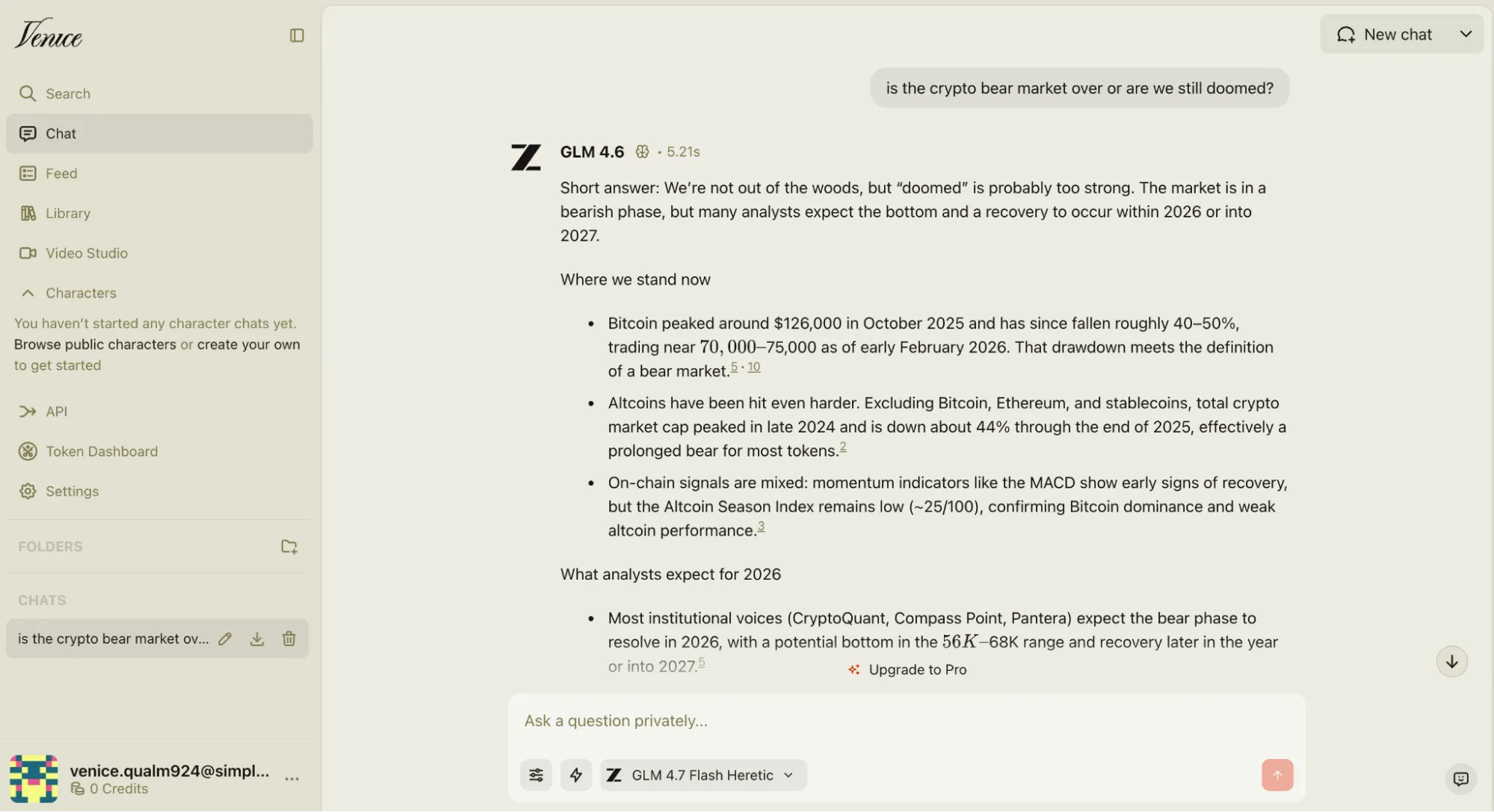
Founded by privacy advocate and Bitcoin OG Erik Voorhees, Venice is where you go when you want Confer-level privacy but also want a wider range of capabilities beyond simple text chats.
The key mechanic: your chat history lives in encrypted local browser storage on your device. Venice says it cannot access your conversation content. If they get subpoenaed, they have nothing to hand over. That’s a meaningful guarantee, not just a policy checkbox.
One good thing is you can use Venice as a guest without an account. Alias emails work for signup. Passkeys are supported, though our account creation flow had a few hiccups in testing before it clicked.
Feature-wise, it’s legitimately stacked: Wide model selection including open-source and uncensored models; Sora-level video generation through a credit system; image generation; a “characters” feature for roleplay and persona-based interactions; the ability to set up custom system prompts; and web search.
For anyone who wants most of what ChatGPT Plus offers without OpenAI reading every word, Venice is probably the answer.
Lumo: Proton’s AI, and that alone says a lot
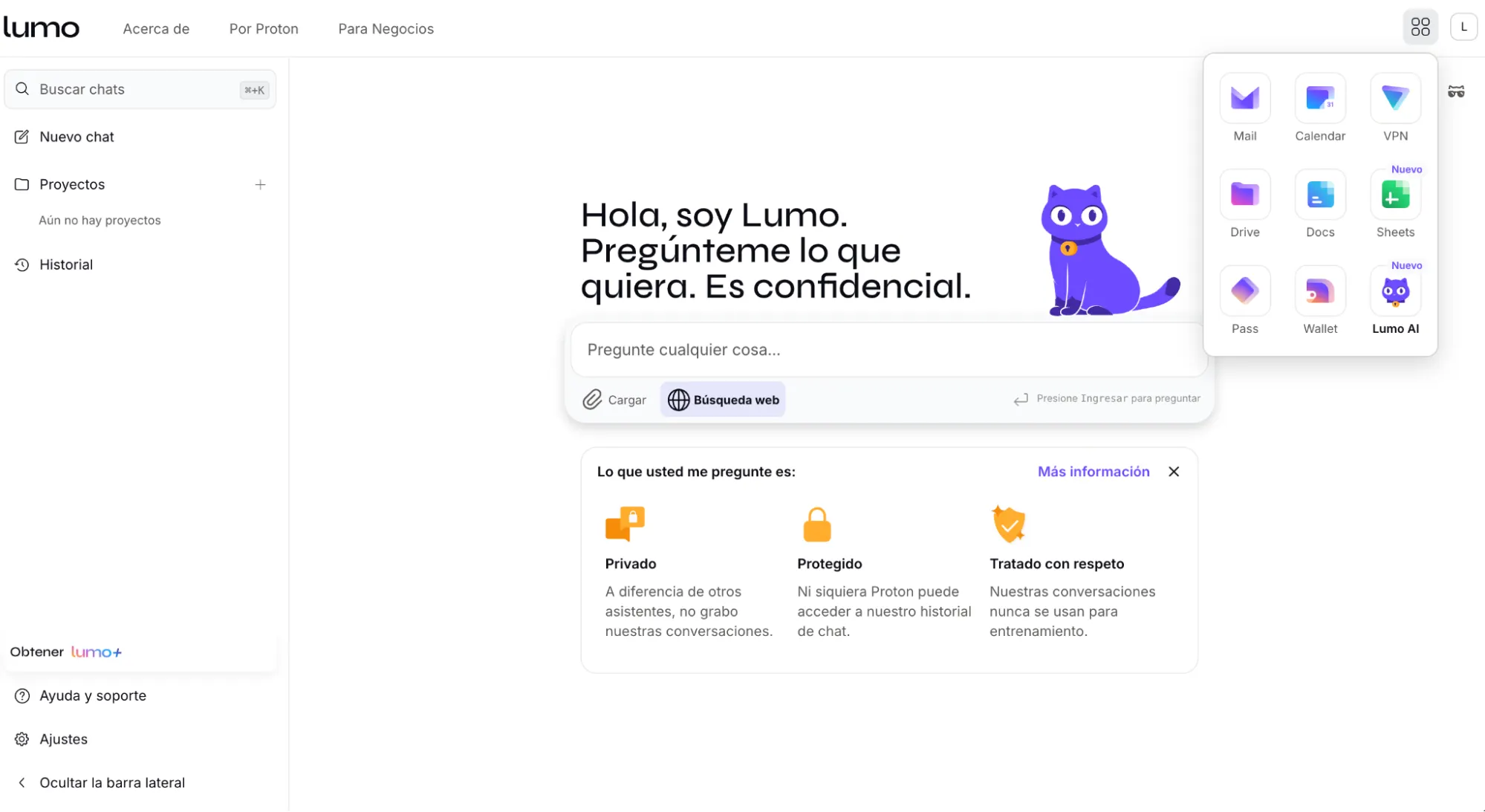
Proton has been building encrypted infrastructure since 2014. Lumo is their AI assistant, and it carries the same philosophy: zero-access encryption, no training on your data, no third-party data sharing.
There’s an auto-destroy setting that wipes your chats when you log out. File uploads work natively with Proton Drive, which no other AI tool allows. Web search is a toggle.
It also runs on Proton’s own model, not a third-party API.
It’s not feature-rich, though. There’s no image generation, no model selection, no character modes. But it’s clean. It’s E.U.-based and GDPR compliant, it works nicely, and the company behind it has a decade-long track record of not selling you out. For someone already in the Proton ecosystem, it’s an obvious add.
Kagi: Not an assistant, but your new default search
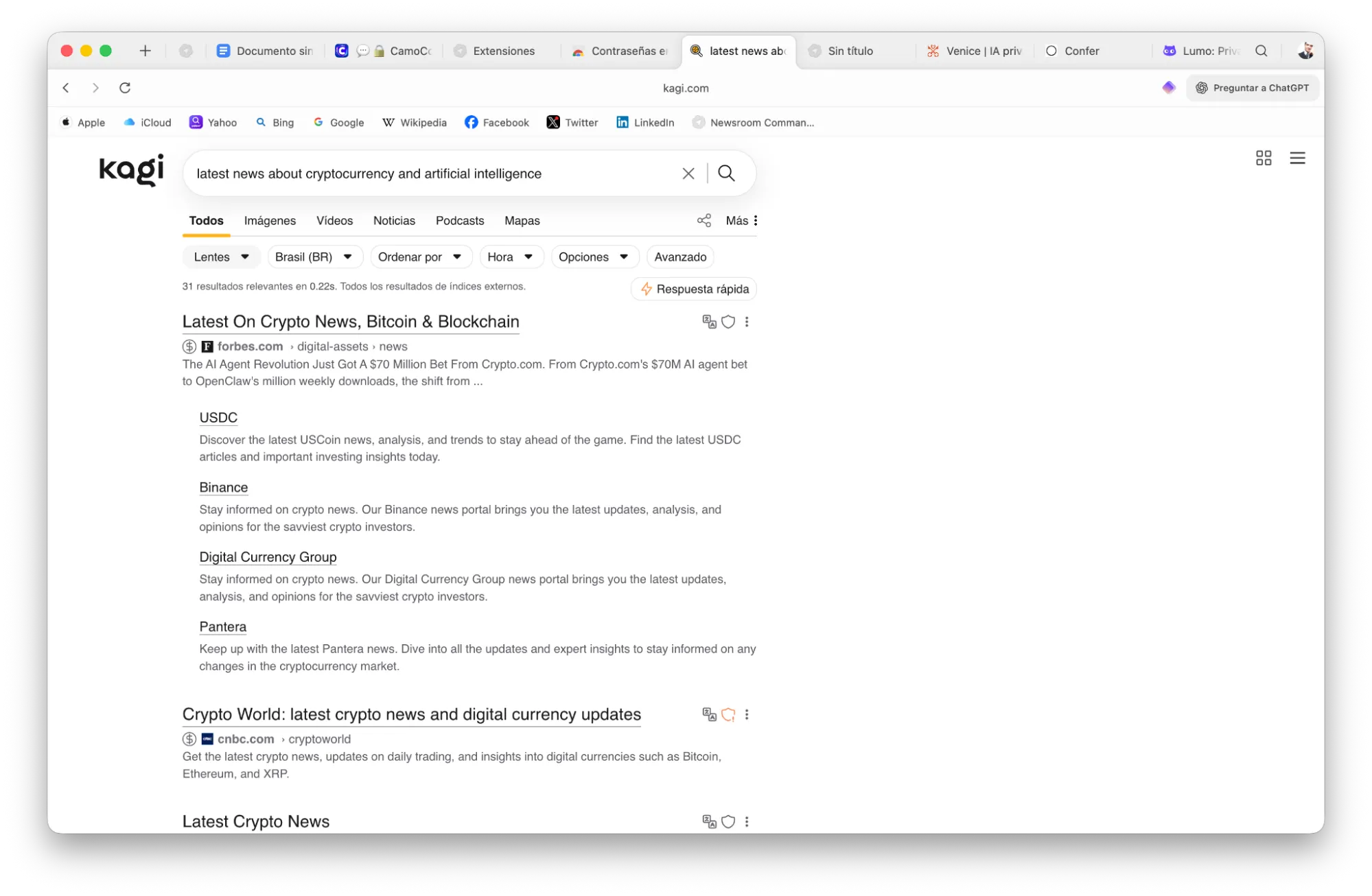
Kagi is a search engine, not a chatbot. And that’s a feature, not a bug.
You pay a subscription, and in return, it doesn’t track your clicks, doesn’t run ad networks, and doesn’t build a behavioral profile on you. The results look like Google (actual links, actual URLs) instead of the Perplexity/ChatGPT model that tries to answer everything so you never visit the original source.
The Kagi Assistant feature is pretty clever. You pick a source and ask the assistant questions. The AI answers exclusively based on that site. We tested it and got a seven-URL briefing on the crypto bear market, all sourced from Decrypt, formatted like a Perplexity summary but scoped entirely to one domain.
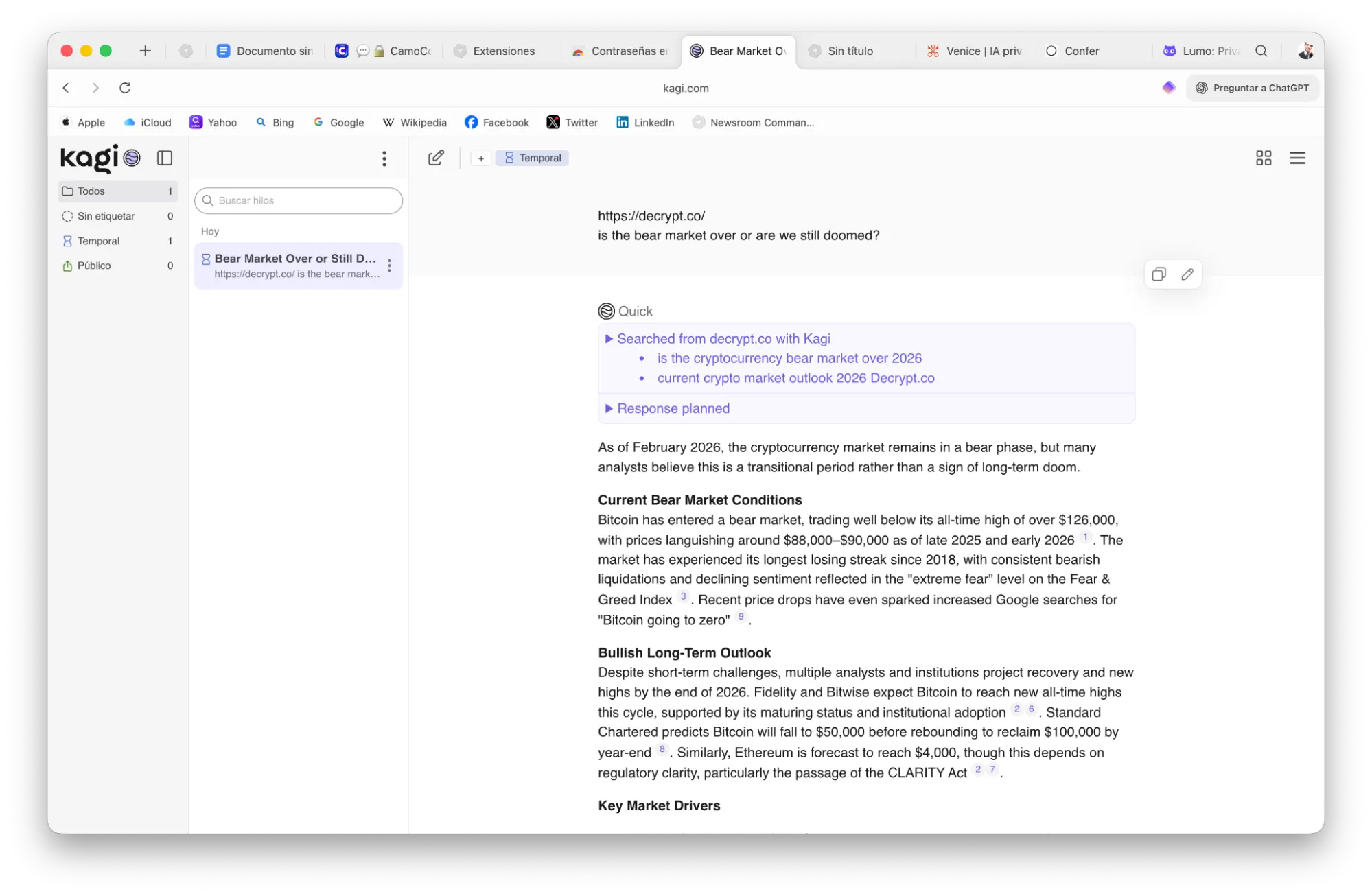
Kagi says neither it nor its LLM providers train on your assistant data. Threads delete after 24 hours by default. An account is required, but alias emails also work.
If you’re a journalist, researcher, or anyone who reads a lot and hates being profiled for it, Kagi belongs in your stack.
Also, the fact that it works as a Google-like search engine that provides links instead of briefings means that it’s less prone to hallucinations.
CamoCopy: European-routed, feature-complete, and honest about the tradeoffs
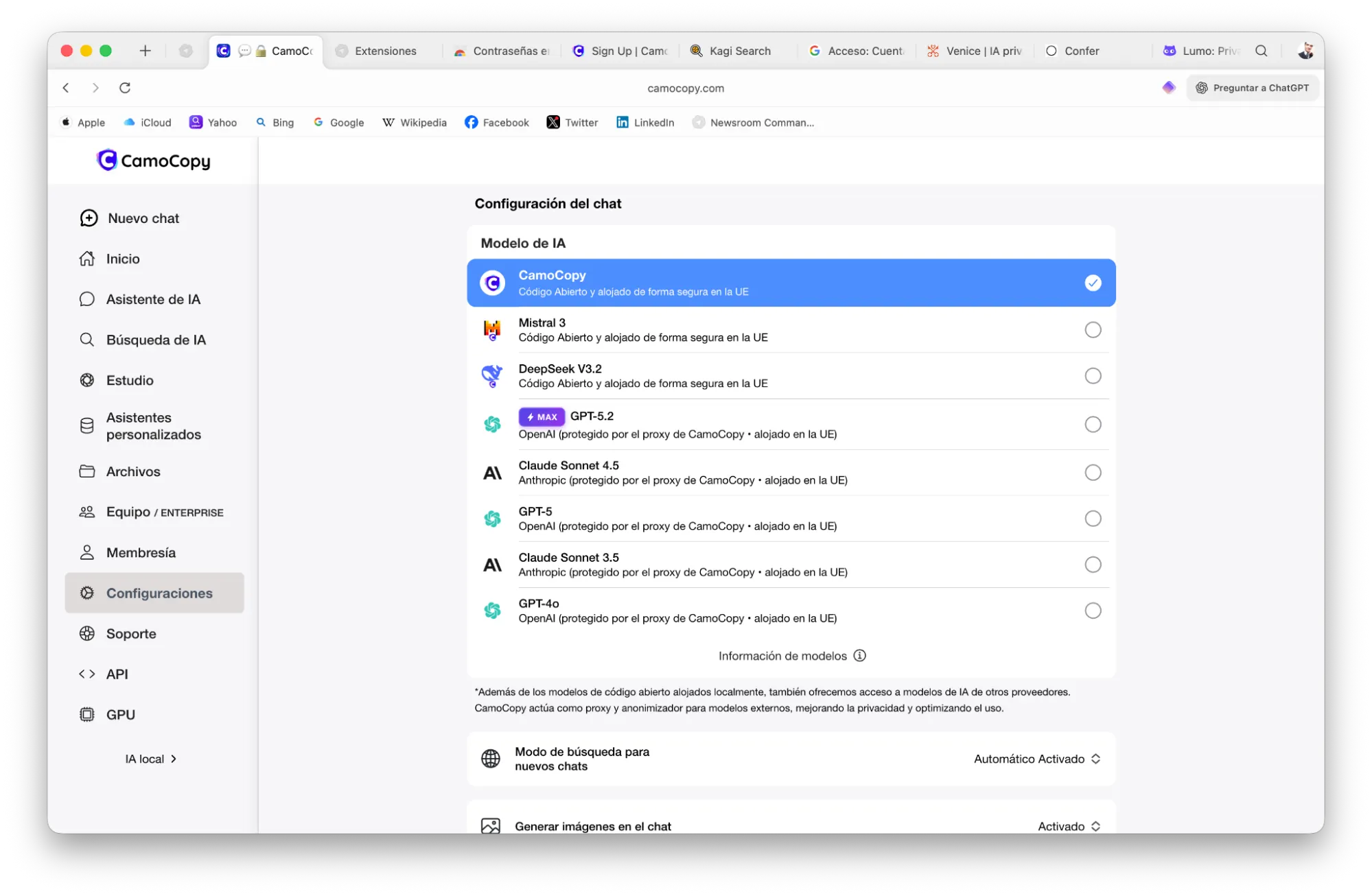
CamoCopy is a German-built AI platform that routes your Claude and ChatGPT requests through E.U. infrastructure, under GDPR constraints. The argument is that this makes those interactions legally unusable for training by the upstream providers.
It’s got the full suite: custom assistants (think GPTs), deep research agents, web search, image generation, wide model selection. You can even rent GPU access to run local models through the platform, which is a serious privacy upgrade over cloud-only options.
Again, an account is required, but alias emails work for signup here too.
There’s a caveat worth pointing out: CamoCopy is a wrapper. The 300-million-message leak mentioned at the top of this article happened to a wrapper app. The E.U. routing and no-training policy are better than most, but the surface area is bigger. The privacy promise lives at the policy level. By contrast, Confer’s promise lives at the architectural level. Those are different things.
Ellydee: Great on paper, rocky in practice, good for environmentalists

Ellydee is a Canadian-built assistant that routes requests through 100% renewable energy data centers. Good for the planet, and it’s solid branding.
The privacy policy is aggressive: no prompts stored, no training, no data retained beyond temporary IP logs for security, full account deletion within 24 hours. It has iOS and Android apps, its own model or finetune called Brightside, web search, an image editor, a character creator, and several distinct modes for different writing contexts.
It also has a pretty active community on Reddit which makes it easier to share tips, interact with other enthusiasts, and improve user practices.
Ellydee doesn’t use passwords by default, instead it sends a fresh code to your email each time. In testing, the system sent a new code, then rejected it, effectively forcing us to login through a Google or Apple account to bypass the bug. That’s a frustrating irony for a privacy-first product.
If you’re committed to alias-only, no-OAuth access, it requires patience. The promises are there. The engineering still needs to catch up.
xPrivo: The open-source option for people who want control
xPrivo is open-source, and you can self-host it. That’s the headline.
The free tier includes Mistral 3 and xPrivo’s own model. Paid unlocks Kimi K 2.5 with reasoning, Gemini 3 Pro with and without reasoning, and GPT-5.2. You can add your own API endpoints, which means you can plug in a locally running model and keep everything off their servers entirely. Web search and archive uploads are both supported.
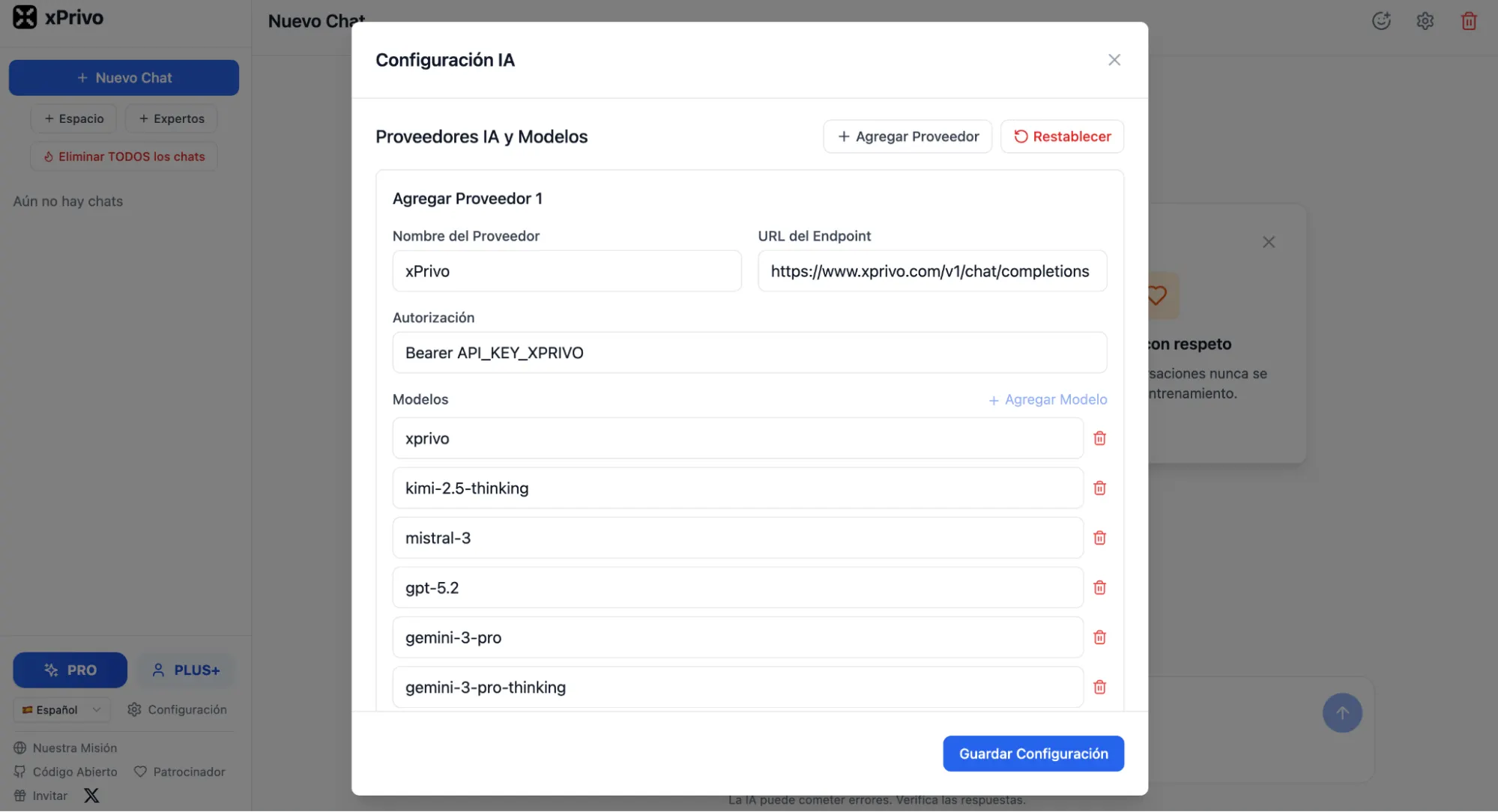
The “experts” feature is a set of domain-specific system prompts for things like legal research, coding, and medical questions. A custom system prompt option gives you full control over AI behavior. A personalization feature shapes how it responds to you generally.
The privacy promise holds strongest when you self-host and connect a local model. Nothing leaves your machine. When you route to Gemini or GPT-5.2 through their API, you’re back to those providers’ data terms. xPrivo is the interface, not the model. The weakest link still applies.
If you know what an API endpoint is and you’re okay setting things up yourself, xPrivo gives you the most flexibility of anything on this list.
Internxt AI: A (way too) simple bet on anonymity
You’ve probably heard of Internxt as a cloud storage provider, which started as a crypto project back when it was cool to start a crypto project. The Spanish company, based in Valencia, has been building GDPR-native, quantum-resistant, end-to-end encrypted infrastructure since 2020. In December 2025, they added an AI chatbot to the stack.
The pitch is simple and it works: no registration required. You open the site and start chatting. No email. No account. No trace linking you to the session.
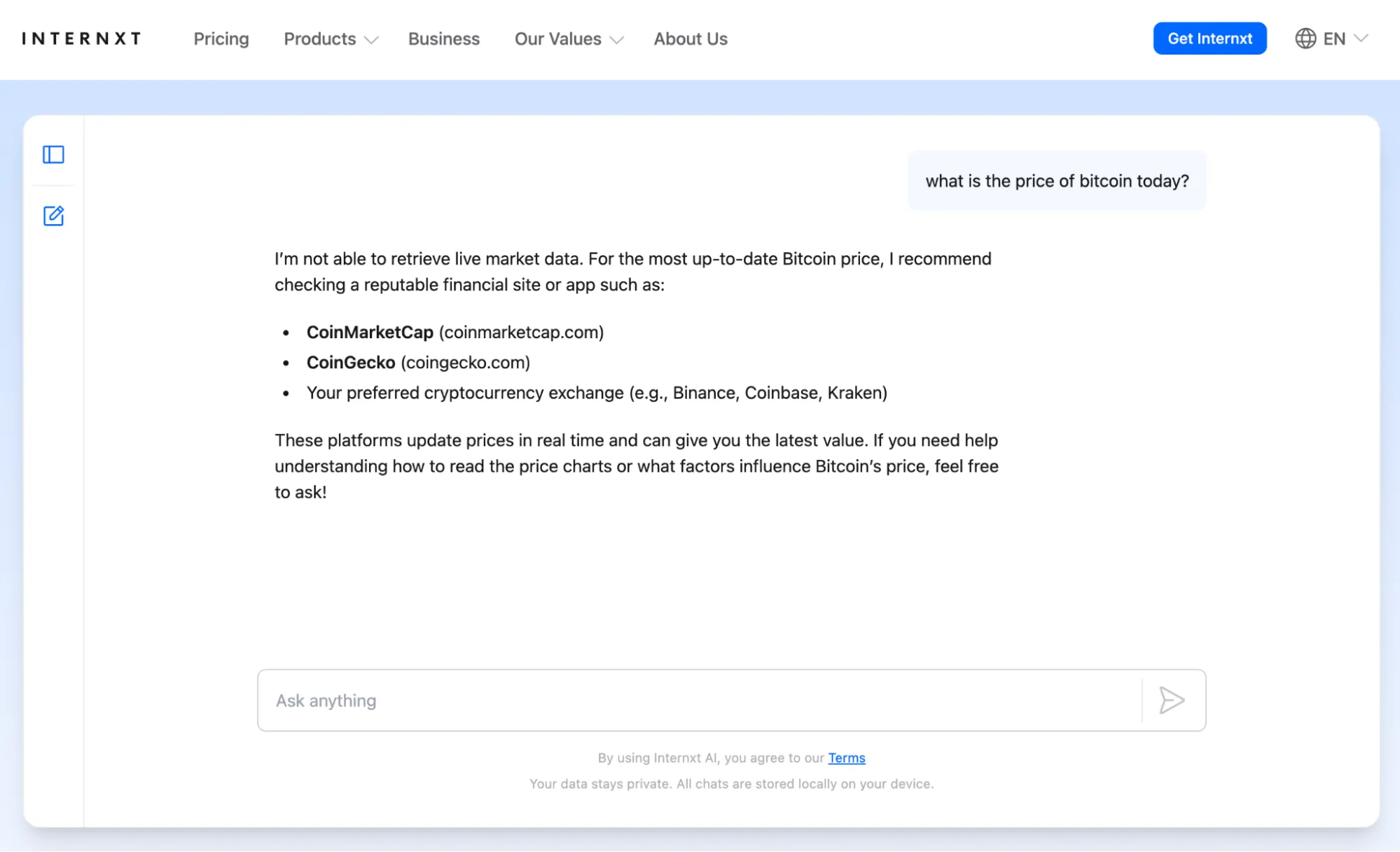
Internxt claims zero-access encryption and no server-side chat logs—the same architecture philosophy that made their storage product credible. The codebase is open source, and E.U. server jurisdiction applies throughout.
The catch is equally simple: It’s way too basic. So basic it feels like a product built to simply catch some of the AI hype. No web search, no image generation, no model selection, no agents, no file uploads. It’s a clean text box with a privacy-first AI behind it. That’s it.
As a standalone daily driver, it won’t replace anything on this list. But as a tool to spin up an anonymous session when you need one (no account, no footprint), there’s nothing simpler.
Duck.ai (DuckDuckGo): The one normies will actually use
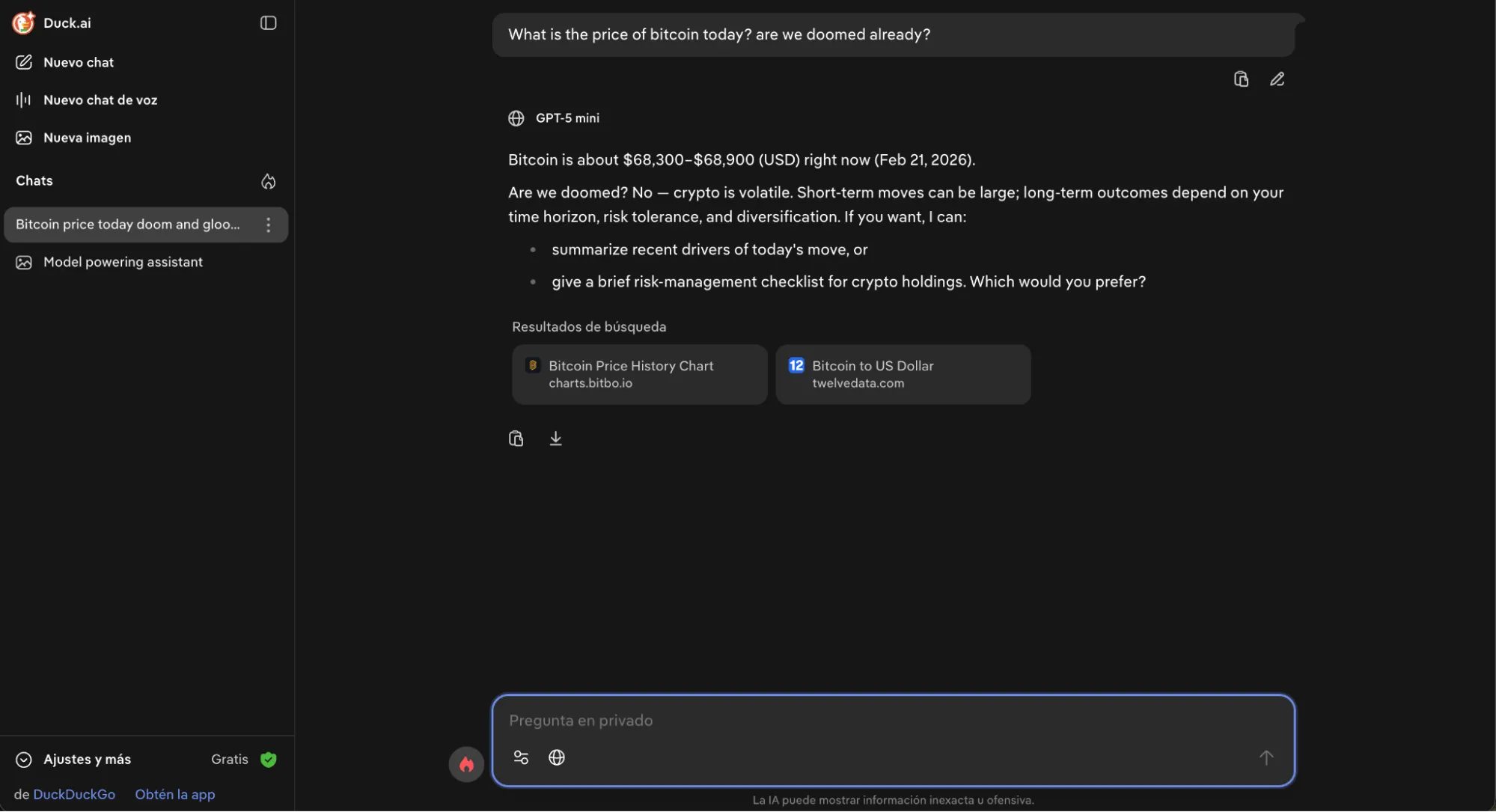
DuckDuckGo has been the default “I don’t want Google tracking me” search engine for over a decade. Duck.ai is what happens when they apply the same logic to chatbots.
The mechanic is called proxying. When you send a message, DuckDuckGo strips your IP address, swaps it with their own, and forwards the request to the underlying model—Claude, GPT-4o, Llama, Mistral, take your pick. The AI provider sees a request from DuckDuckGo, not from you. They also have contractual agreements with all providers requiring deletion of received data within 30 days.
There’s no account required for the free tier and no registration. You open the site and start chatting. Recent chats save locally on your device, not on their servers. There’s a “Fire Button” that wipes everything in one click, which is either practical or extremely satisfying depending on your personality.
The free tier gives you access to Claude 3.5 Haiku, Llama 4 Scout, Mistral Small, and GPT-4o mini. The paid subscription ($10/month, which also includes a VPN and identity theft protection) unlocks GPT-5.1, Claude, Llama 4, Mistral GPT OSS, and even GPT-4o—which is a “yay!” for those who already mourn its deprecation by OpenAI. Image generation is available, and in January 2026 it added voice chat—also proxied and also not retained after the session ends.
There’s one downside: DuckDuckGo is U.S.-based, which means U.S. law applies. The proxying model is solid, but it’s still a policy and contractual arrangement—not an architectural guarantee like Confer’s TEE. You’re trusting that DuckDuckGo and its provider agreements hold up.
That said, for most people who want meaningfully better privacy than ChatGPT but aren’t running a whistleblower operation, Duck.ai is a very easy on-ramp. No setup. No account. Free. And it works.
Who wins for your specific situation
Privacy is a broad term, and all these models can be good enough if you just want some level of confidentiality. However depending on your specific needs, there may be platforms that beat others. Remember: This list is for people who put privacy over anything else. For this group, a dumb AI model with strong anonymity and privacy is more valuable than a ChatGPT membership.
Ideally, you should not depend on a single service. Use different providers depending on your needs. Here are some ideas:
Most people (privacy + sanity): Kagi for search. Lumo for daily assistant work. Simple, trusted, no rabbit holes. Venice for a feature rich ChatGPT substitute with options for creative work. Duck AI if you like the browser.
Privacy freaks: Confer for anything sensitive like sources, legal questions, etc. xPrivo with a self-hosted local model for day-to-day drafting that must not leave your machine. Kagi when you need web retrieval and accept the API call tradeoff.
Ideally, a fully self-hosted AI assistant using oLlama or LMStudio is the best option. You can generate images with Z-images, videos with Wan, reasoning with Deepseek R1 or Minimax, NSFW roleplay with an abliterated (stripped of censorship) LLM and all that offline. For research or online functionality, you can use an MCP server with a local model that supports it, use a system VPN and remain as anonymous as you can be.
Privacy policies are usually just marketing until something goes wrong. The best protection isn’t trusting a good privacy policy. It’s choosing tools where even a misconfiguration or the scariest of the subpoenas can’t expose what was never stored.
Daily Debrief Newsletter
Start every day with the top news stories right now, plus original features, a podcast, videos and more.


